Skip to content
Repairs › Macs › Trackpad not clicking
Duluth, Georgia · Macs

Trackpad not clicking

Price first~60 MIN · YOU APPROVE IT BEFORE WE REPAIR

The trackpad won’t click, feels stiff, or the cursor jumps.
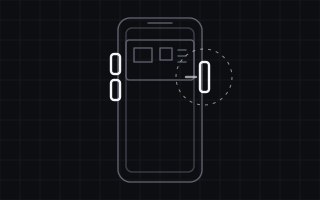
Where it usually fails · Trackpad not clicking
Call (770) 309-0035Request a quote

What's actually going on

The cause

Usually a swollen battery pushing it up from below.

How we fix it

We check the battery first; if it’s the trackpad, we replace it.

How much it costs

It depends on the model and on what we find inside, so we quote each repair individually. The diagnosis fee depends on the device, and you approve the exact repair price before any repair starts. If it can't be fixed, you only pay the diagnosis.

Trackpad not clicking by model

Apple MacBook Air 15" (M4)2025Apple MacBook Air 13" (M4)2025Apple MacBook Air 15" (M3)2024Apple MacBook Air 13" (M3)2024Apple MacBook Air 15" (M2)2023Apple MacBook Air 13" (M2)2022Apple MacBook Air 13" (M1)2020Apple MacBook Pro 16" (M4 Pro/Max)2024Apple MacBook Pro 14" (M4)2024Apple MacBook Pro 16" (M3)2023Apple MacBook Pro 14" (M3)2023Apple MacBook Pro 16" (M2)2023Apple MacBook Pro 14" (M2)2023Apple MacBook Pro 16" (M1)2021Apple MacBook Pro 14" (M1)2021Apple MacBook Pro 13" (M2)2022Apple MacBook Pro 13" (M1)2020Apple MacBook Pro 16" (Intel, 2019)2019Apple MacBook Pro 13" (Intel, 2020)2020

Other Mac repairs

Cracked screenCracked iMac screenLaptop battery replacementLaptop won’t chargeNo power at allOverheats and shuts downLaptop liquid spillDead keys
DiagnosisThe fee depends on the device, and we tell you before you bring it in. If it can't be fixed, that's all you pay.
Price firstNo repair starts until you've approved the exact price.
90-day warrantyOn the part and the work, in writing, on your receipt.
Mail-inBoard-level work, data recovery and consoles from anywhere in the US.